Databases
A database is a container in a database daemon, with generated credentials. Your app reaches it over the platform's private network; you reach it through the SQL console.
Creating a database#
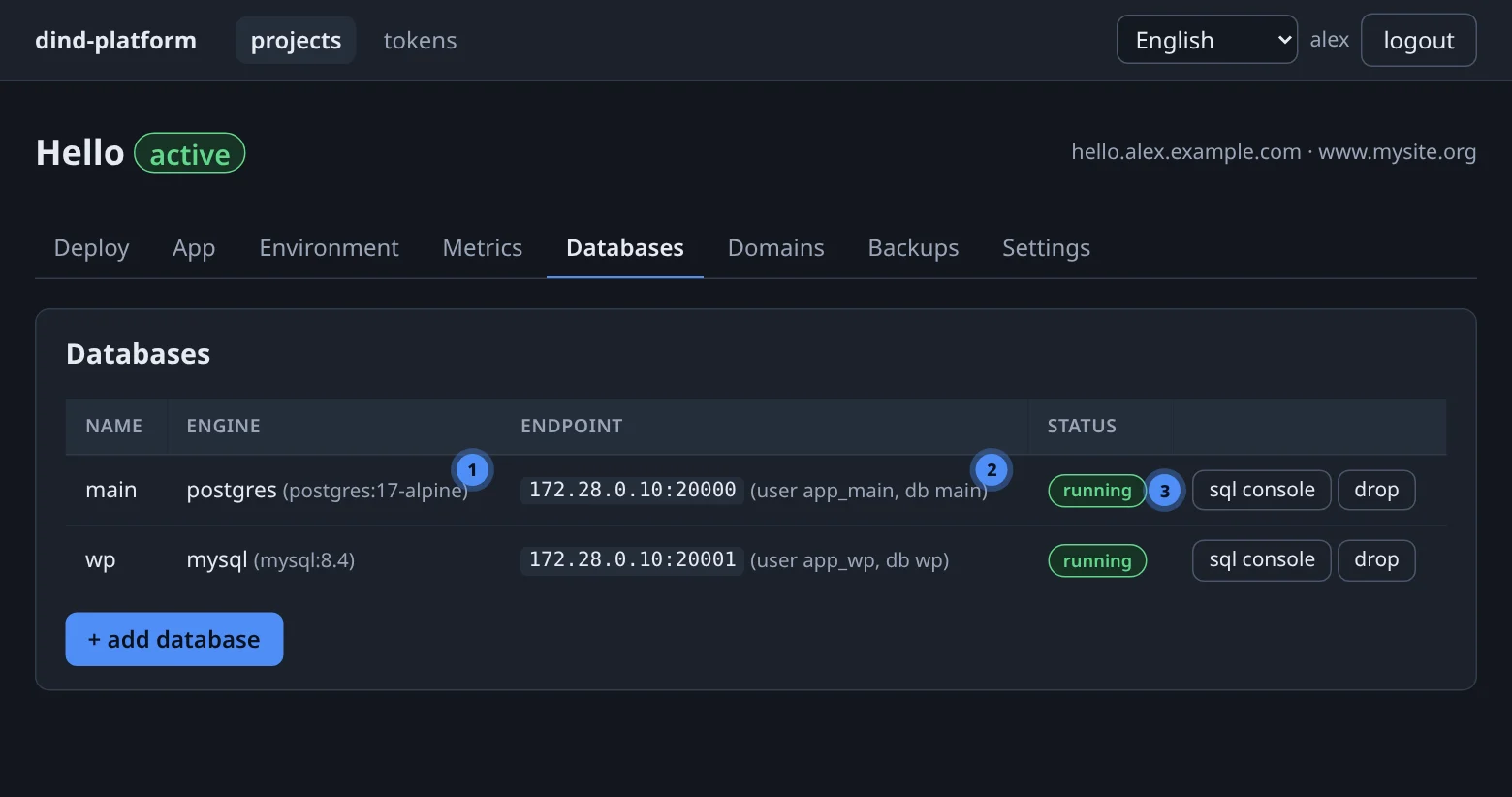
Open the project's Databases tab, press + add database, choose a name and an engine — postgres or mysql — and press create.
The password is shown once, in the database created dialog. Copy it now — the platform stores it encrypted and never displays it again (the app receives it as a variable).
curl -fsS -X POST "$BASE/api/v1/projects/$PID/databases" \
  -H "Authorization: Bearer $TOKEN" -H 'Content-Type: application/json' \
  -d '{"engine":"postgres","name":"main"}'
create_database(project=7, name="main", engine="postgres")
The response contains the credentials and the image the database runs. The password is only in this response.
| PostgreSQL | MySQL | |
|---|---|---|
| Image for a new database | postgres:17-alpine |
mysql:8.4 |
| Healthcheck | pg_isready |
mysqladmin ping |
| Dump format | pg_dump -Fc (.pgdump) |
mysqldump --single-transaction --routines --triggers (.sql.gz) |
Names: a letter first, then lowercase letters, digits and hyphens. The console accepts 2–21 characters (the API allows underscores and up to 40).
A database keeps the image it was created from
Each database stores its image for life. A Postgres 16 database stays on 16 — a 16 data directory will not start under 17 — also when it is recreated for a restore. Moving to a newer major is a dump and restore into a new database. The image is shown next to the engine in the console.
Where a database lives#
Databases run in a database daemon, not in your app daemon. By default that is the one shared db daemon; an administrator can give a user a dedicated db-<alias> daemon. Either way every database is its own container with its own volume (dbdata-<slug>-<name>), port (20000–29999) and credentials, reachable only on the platform's internal network — there is no public database port.
Connecting your app#
List the database in platform.yaml and the platform injects five variables, with the name upper-cased:
databases: [main]
| Variable | Example |
|---|---|
DB_MAIN_HOST |
172.28.0.10 |
DB_MAIN_PORT |
20000 |
DB_MAIN_USER |
generated |
DB_MAIN_PASSWORD |
generated, never shown in the console |
DB_MAIN_NAME |
the database name |
import pg from "pg";
const pool = new pg.Pool({
  host: process.env.DB_MAIN_HOST, port: +process.env.DB_MAIN_PORT,
  user: process.env.DB_MAIN_USER, password: process.env.DB_MAIN_PASSWORD,
  database: process.env.DB_MAIN_NAME,
});
import os, psycopg

conn = psycopg.connect(
    host=os.environ["DB_MAIN_HOST"], port=os.environ["DB_MAIN_PORT"],
    user=os.environ["DB_MAIN_USER"], password=os.environ["DB_MAIN_PASSWORD"],
    dbname=os.environ["DB_MAIN_NAME"],
)
$dsn = sprintf("pgsql:host=%s;port=%s;dbname=%s",
  getenv("DB_MAIN_HOST"), getenv("DB_MAIN_PORT"), getenv("DB_MAIN_NAME"));
$pdo = new PDO($dsn, getenv("DB_MAIN_USER"), getenv("DB_MAIN_PASSWORD"));
Order matters
The variables are injected only for databases that exist when the app is deployed or recreated. Create the database first, then deploy — or press recreate on the App tab afterwards. Prefer database names without hyphens: a name such as my-db produces DB_MY-DB_HOST, which a shell cannot read.
The SQL console#
Press sql console on a database row. It runs one statement as the project's database user and shows the result as a table.
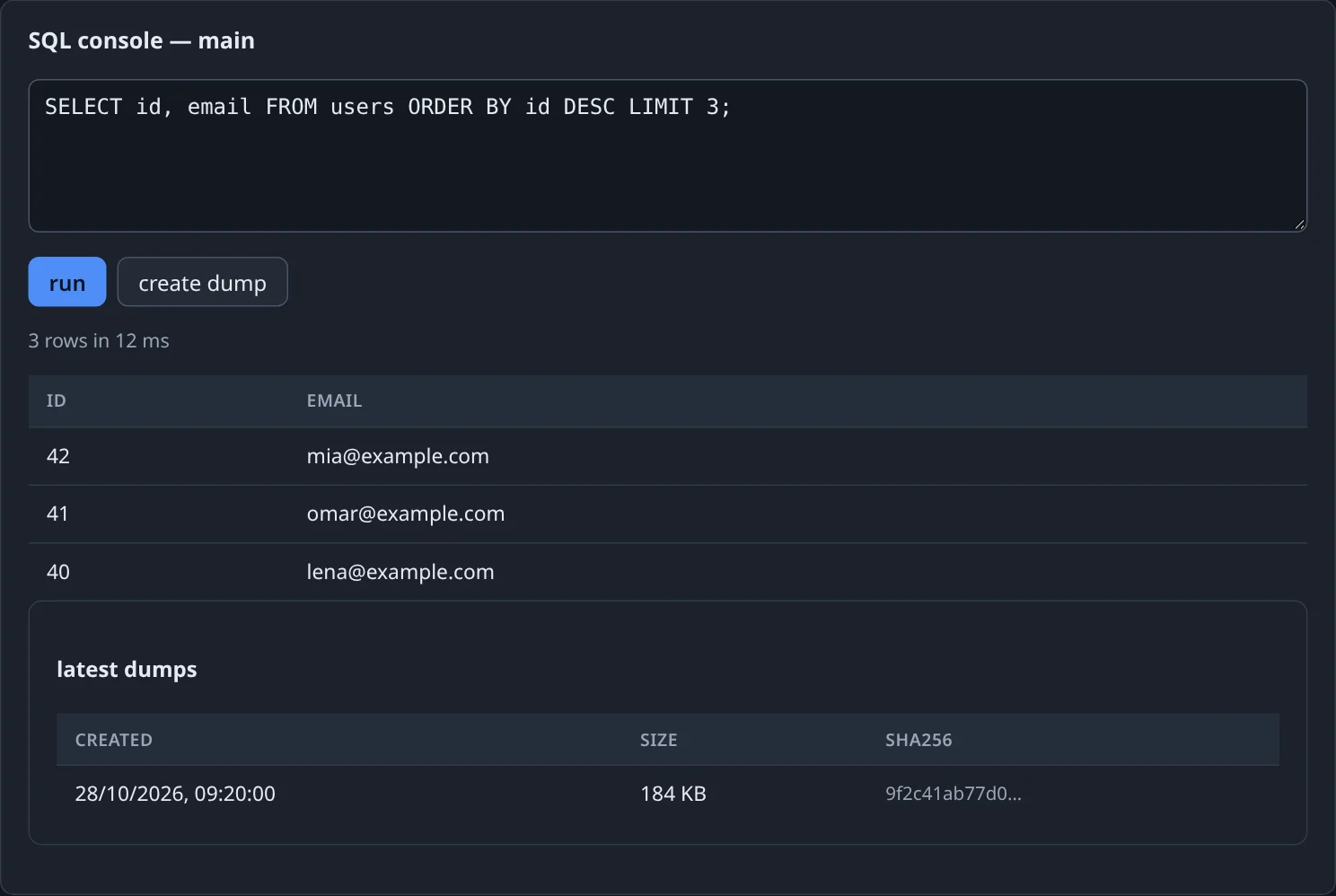
Guardrails, identical in the console and the MCP tool run_query:
| Guardrail | Value |
|---|---|
| Statements per call | one |
| Timeout | 30 s by default (statement_timeout / max_execution_time) |
| Result size | truncated at 1 000 rows or 1 MiB, and marked as truncated |
| Audit | every execution is written to the query log with user, SQL, status, rows and duration |
For schema work, use your migrations
The console is for looking and quick fixes. Run schema changes from your app's migration tool on startup, so a restore or a fresh database comes up consistent.
Dumps#
create dump (or dump_database) writes a compressed logical dump to MinIO and lists it under latest dumps with its size and sha256. The dump runs in a temporary container created from the database's own image, so the tool version always matches the server. Dumps follow the backup retention policy — see Backups & restore.
Dropping a database#
drop removes the container and its volume. Dumps already stored in MinIO are the only way back — take one first.